How to label moving boxes with QR codes
A step-by-step way to label moving boxes with QR codes: where the label goes, what to record, how to color-code rooms and how to unpack faster.
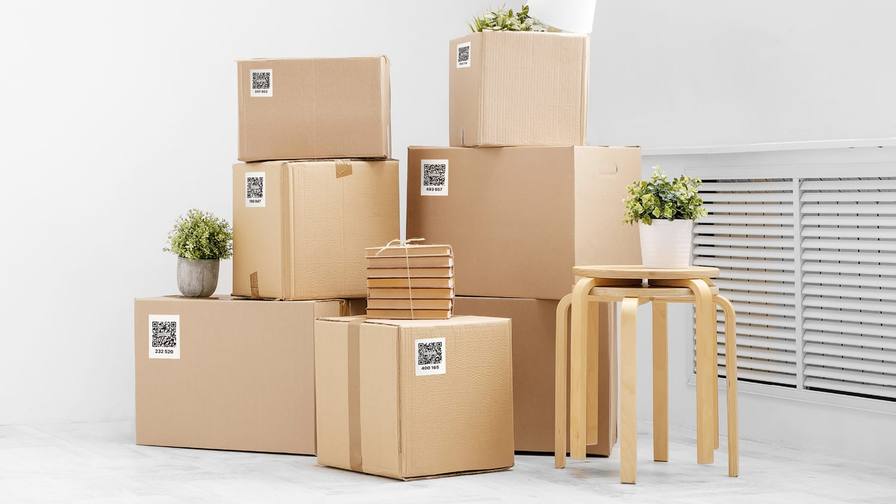
The usual way to label a moving box is a marker, a room name and maybe a short list on the side. It works until the third box marked KITCHEN, or until the list disappears behind the next box in the stack. QR code labels fix the part a marker can’t. Each label links its box to a full list of what’s inside, with photos, that you can check on your phone without opening anything.
This guide walks through the whole process, from the setup before you pack to the last box you unpack. The method works with any QR labeling system; we’ll point out where the SmartPacks app helps along the way. For the short version, see our QR code moving labels page, and for the basics of scanning and filling a box, see how to use QR code labels.
Why a QR code beats a written list
A written label has room for a room name and a few words. A QR code has room for everything.
- Every item, not a summary. Each box can hold a full item list with photos, quantities and keywords, instead of “kitchen stuff”.
- Search instead of reading. Rather than walking past forty boxes reading the sides, you type “passports” and see the box and the room.
- Lists that stay right. Moved the lamp to another box? Change it in the app instead of crossing out marker.
- Contents stay off the outside. A list written on the box tells everyone what’s in it. A QR code shows nothing unless you choose to share it.
Keep writing the room name in marker, though. Your movers will read the marker; you’ll use the code.
What you need
- QR labels, one per box. Count your boxes generously. A spare label is better than a box without one. If you’re using SmartPacks, the colored label pack gives you 64 laminated labels in four colors, which makes coding by room easy.
- A phone with the app installed and signed in. Do this before packing day, not in the middle of it.
- A thick marker for the room name on the side.
- A few minutes of setup before the first box is taped.
Set up rooms before the first box
Create a location for each room in the new home, not the old one: kitchen, living room, primary bedroom, each child’s room, office, bathroom, garage, plus a “Storage” location for things that won’t be unpacked soon. When you scan a box you choose its destination, so the inventory you build while packing is already organized the way you’ll unpack.
If you’re using colors, decide the code now and write it down where everyone helping can see it. For example: red for the kitchen and dining area, blue for bedrooms, green for the living room and office, purple for the garage and storage. A color code you change halfway through is worse than none.
Put the label on the side, not the lid
Where the label goes matters more than people expect.
- Side panels, not flaps. Lids get folded open, taped over and stacked on. A label on the side stays visible in a stack.
- The same side on every box. Pick one, such as the long side to the right of the hand hole, and keep to it, so you can scan a stack without turning boxes around.
- Flat, clean and dry. Avoid seams, corners and glossy printed areas.
- No tape over the code. Clear tape adds glare that can make scanning harder. Tape around the label if you need to, never across it.
- Build the box first. Stick the label on the assembled box, not the flat sheet, so it isn’t stretched over a fold.
Scan before you fill
Scan the label as soon as it’s on the box. In SmartPacks, scanning an unused label creates a new box on the spot: you pick the room, add a name if you like (“Pots and pans”) and save. The box now exists in your inventory before anything goes in, so you never end up with a sealed box nobody recorded.
Record what goes in as you pack
This is the step that makes everything else work, and it doesn’t have to be slow.
- One photo of the open box is the minimum. Take it when the box is full, just before you seal it. Often that’s all you need to recognize what’s inside.
- Add separate items for things you’ll look for on their own: chargers, documents, medication, tools, the coffee maker.
- Use words you’ll actually search for. “Cables” is fine; “HDMI, laptop charger, extension cord” is better.
- Add quantities where they matter: wine glasses, 8; chair cushions, 4.
- Let the app do some typing. SmartPacks can suggest keywords from your photos, so you only add the words it can’t guess.
Don’t over-document. You’re building a way to find things, not an audit. If a box is all books, “books, cookbooks, travel guides” plus a photo is plenty.
Pack an “open first” box
Every move needs a box for the first night: phone chargers, medication, toiletries, a change of clothes, bedding, paper towels, a few basic tools, and the kettle or coffee maker. Give it its own color, name it “Open first” and tag each item “first night”. On arrival it’s the one box you need in a hurry, and a search finds it right away.
On moving day
- Write the room on two sides in marker. The movers will use it.
- Count before the truck leaves. Your box list shows every box by room, so you can see how many are headed where.
- Export your inventory. SmartPacks can email it to you as a PDF or CSV file, a simple record of what you packed that lives in your inbox.
- Share with your helpers. If someone else needs to see box contents while unloading, a shared profile puts the same inventory on their phone. In SmartPacks, creating a shared profile is a Pro feature; the people you add use the free app.
Unpack by search
The payoff comes after the move. Instead of opening boxes to find the scissors, search “scissors” and go straight to the right box and room. Unpack the rooms you need first and let the rest wait without worrying about what’s in them.
When a box is empty, delete it from the app. Boxes that go straight to the attic or basement can keep their labels and their contents list. Move them to a storage location in one step and you have a head start on a home inventory.
Common mistakes to avoid
- Labeling only the lid.
- Sealing a box before recording what’s in it.
- Vague keywords such as “stuff”, “misc” or “kitchen things”.
- Taping over the QR code.
- Mixing two rooms in one box without saying so. Assign the box to the room you’ll unpack first and add the other room as a keyword.
A quick checklist
- Rooms set up as locations in the app
- Color code decided and shared, if you use colored labels
- A label on the same side of every box
- Every box scanned before it’s filled
- A photo and a few keywords for every box
- An “open first” box packed and tagged
- The room name in marker for the movers
- The inventory exported before the truck leaves
Do these eight things and the question “which box is it in?” has an answer you can look up, on the day you move and long after.