Shared profiles
ProKeep one inventory with family, roommates or a team. Add people by email as Editors, who can make changes, or Viewers, who can only look.
Stock bins, event kits, sample boxes, old paperwork: small businesses keep a lot in containers that all look the same. Label them with SmartPacks and record what’s inside with photos. With SmartPacks Pro, share it all with your team, so people look things up instead of asking around.
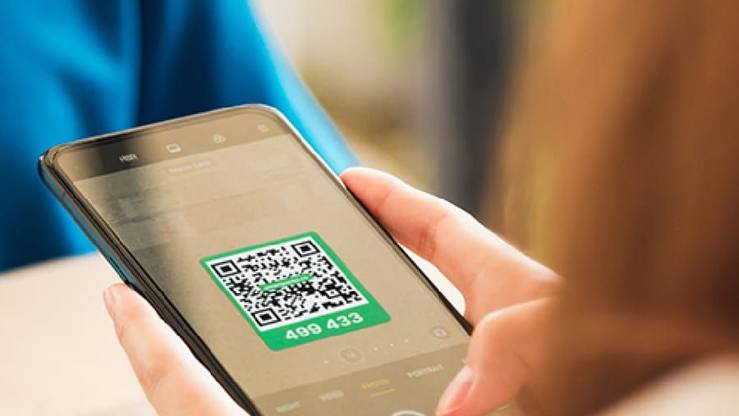
One label per container, on the side that faces out from the shelf.
Locations can be rooms, shelving units, vehicles or sites: Back room, Shelf A, Van, Warehouse.
Add a photo, a quantity and keywords such as the product name or your own part number, so anyone can search for it.
In a shared profile, everyone sees the same boxes as an Editor or a Viewer. The profile owner needs SmartPacks Pro.
In SmartPacks, every label is a box, and a box can be anything with a lid or a shelf edge: a parts bin, a tote of event signage, a carton of old invoices, a camera bag. Start with the containers people ask about most, not the whole building. Twenty well-chosen bins with labels beat an inventory nobody finishes.
Use locations for where things live: rooms, shelving units, vehicles or sites. Keep the names short and use the ones your team already says out loud (“Back room”, “Shelf C”, “Van”), so search results read the way people talk.
Keywords are what search looks for, so write the words your team will type: the product name and its nickname, your own part number, the client or event name for a kit. Each item takes up to ten keywords and a quantity. A photo helps anyone who doesn’t know the product by name.
For spare parts and consumables, add one item per type with a quantity, rather than one item per piece. When you restock or take some out, update the number while you are at the shelf. Quantities in SmartPacks are updated by hand; it is a box-level inventory, not a point-of-sale system.
A shared profile turns your inventory into a team inventory. The owner, who needs SmartPacks Pro, adds teammates by the email they use for SmartPacks and gives each one a role. Editors can add, change and delete boxes and items. Viewers can look things up but not change them, which suits seasonal staff or a bookkeeper. Teammates use the free app, and everyone’s personal boxes stay separate from the business ones.
With Pro, Smart Search also helps people who don’t know your keywords. Someone searching for “packing supplies” can find the boxes tagged bubble wrap, tape and mailers.
Tie updates to habits you already have. When a kit comes back from an event, scan its label and check it against the list before it goes back on the shelf. When a shelf is reorganized, select the boxes in the Box List and move them to their new location in one go.
Export the inventory as a PDF or CSV whenever you need a snapshot: a year-end count, a move to new premises, or a review with your insurer.
Curious how the pieces fit? Read how to use QR code labels with the SmartPacks app.
Yes, with a shared profile. The person who creates it needs SmartPacks Pro and adds teammates by the email they use for SmartPacks. Editors can add, change and delete boxes and items; Viewers can only look.
Each item has a quantity that you update by hand when stock comes in or goes out. SmartPacks is a box-level inventory, not a point-of-sale or stock-control system, and it doesn’t connect to one.
Yes. Export it from Settings as a PDF or CSV file and send it to any email address, such as a shared inbox. If your team works in a shared profile (a SmartPacks Pro feature), select that profile first.
No. There is one app for everyone. A shared profile, set up by an owner with SmartPacks Pro, gives your team a common space, and each person’s personal boxes stay separate.
Pick a pack of 48 white or 64 colored labels. The app is free, with no limit on boxes.