Scan a label, open the box
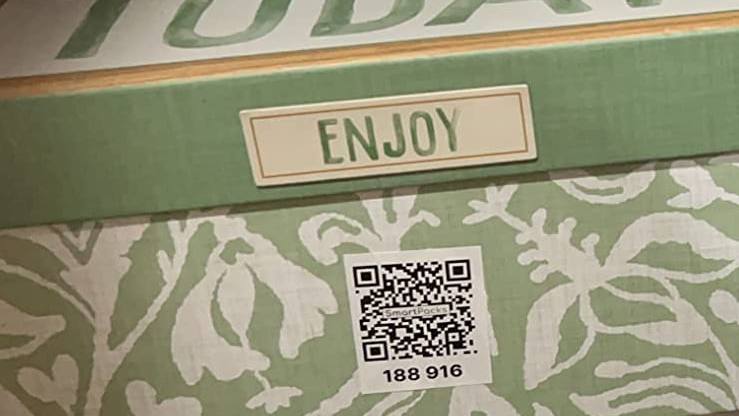
Point the app at a SmartPacks label to see what’s in that box. Scan an unused label and it becomes a new box, ready to fill.
SmartPacks is a home inventory app that starts with a QR label on every bin and box. Holiday decorations, camping gear, the kids’ clothes in the next size up, the box of cables you’ll need one day: add what’s inside once, and search your whole house from your phone.
Totes, shoeboxes, file boxes, suitcases: anything whose contents you tend to forget.
Locations like Garage, Attic, Basement or Hall closet tell you where to look, not just what you own.
Photograph the contents and let AI keyword suggestions do most of the typing. Add the words your family would search for.
Search “air mattress” from the couch to see the box and where it is. Or scan a bin to check it before you lift it down.
You don’t need to inventory the whole house in a weekend. Start with the places where things go missing: the garage shelves, the attic, the basement, the top of the hall closet. Those are the boxes you open least and search for most.
Create a location for each zone. Be as precise as is useful to you: “Garage” may be enough, or “Garage, left shelf” and “Garage, loft” if a lot lives out there. You can add, rename and sort locations at any time.
Take down one shelf at a time. Group like with like, give each group a bin, then stick a label on the bin’s short end, the side you see when it sits on the shelf, and scan it. Add items before the lid goes back on: one photo of the open bin, plus separate items for anything you’ll want to find on its own.
AI keyword suggestions help a lot here. Take a photo and SmartPacks proposes keywords, so a bin of camping gear gets tent, sleeping bags and lantern without much typing. The free plan includes a daily allowance of suggestions. Add your own words too, the ones your family actually uses (“Grandma’s quilt”, not just “blanket”).
With the colored labels, give each color a meaning: one per season, one per family member, or one for everything holiday-related. The app shows each box’s color in your list and can sort by color, so the red boxes are easy to pick out when the decorations come down.
An inventory stays useful when updating it is easier than ignoring it. When something leaves a box for good, delete it while you are standing there. When a bin moves from the attic to the garage, change its location in the app. Swapping seasonal clothes? Scan both bins and update both lists.
If more than one person in the house puts things away, a shared profile keeps everyone in the same inventory. Creating one needs SmartPacks Pro; everyone else uses the free app.
This is where it pays off. Type “air mattress”, “HDMI” or “Halloween” into the Item List and you’ll see every match with its box and location. With Smart Search, a Pro feature, you can search by meaning, so “beach stuff” can find the box with the towels, the sunscreen and the cooler bag.
Ready to start? Here’s how to use QR code labels with the SmartPacks app.
They are laminated and water-resistant, made for cardboard boxes, plastic bins and totes. For the best start, stick them on a clean, dry, flat surface.
It can help. Each item can have photos, and you can export your boxes and items as a PDF or CSV file. Ask your insurer what records they want.
Yes, with a shared profile. The person who creates it needs SmartPacks Pro; everyone they add uses the free app as an Editor, who can make changes, or a Viewer, who can only look.
Yes, with SmartPacks Pro. Set a reminder on a box, like the winter clothes bin, and the app reminds you on the date you pick.
Pick a pack of 48 white or 64 colored labels. The app is free, with no limit on boxes.